
vscode-dottr
Visual Studio Code extension for Dottr manifests, with the Dottr language server.
- TypeScript
- MIT license
- github.com/tkamucheka/vscode-dottr
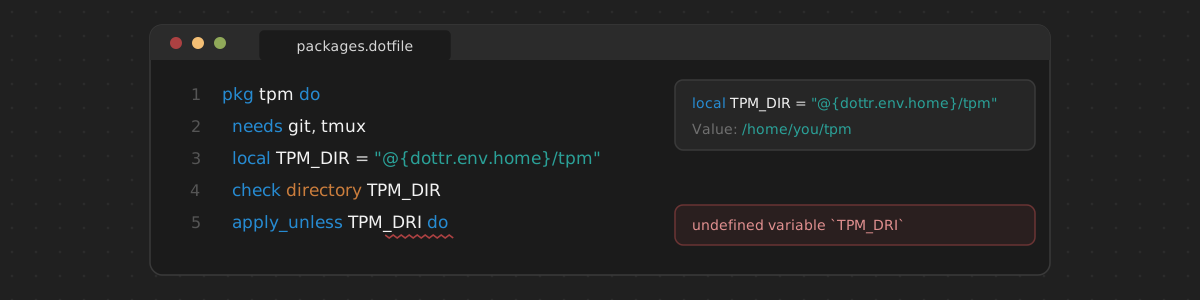
Visual Studio Code support for Dottr manifests (*.dotfile):
- highlighting, including the scripts of
shellblocks, as shell or PowerShell scripts; - diagnostics as you type;
- go to definition, references, rename, and document and workspace symbols for units and variables;
- hover, with the values of variables and the dependencies of units;
- completion of keywords, unit names, variables, and block snippets;
- formatting, comment toggling, auto-closing quotes and
@{...}, and indentation of blocks.
Everything but highlighting and editing is provided by the Dottr language
server, dottr-lsp, which is installed with Dottr.
Installation
Requirements: VS Code 1.91 or later, Dottr, and Node.js to build the extension package:
git clone https://github.com/tkamucheka/vscode-dottr.git
cd vscode-dottr
npm ci
npm run package
code --install-extension vscode-dottr-0.1.0.vsix
To format manifests on save, add to settings.json:
"[dottr]": {
  "editor.formatOnSave": true
}
Settings and known issues are described in the README.